
Gemini Keyboard Shortcuts
Overview
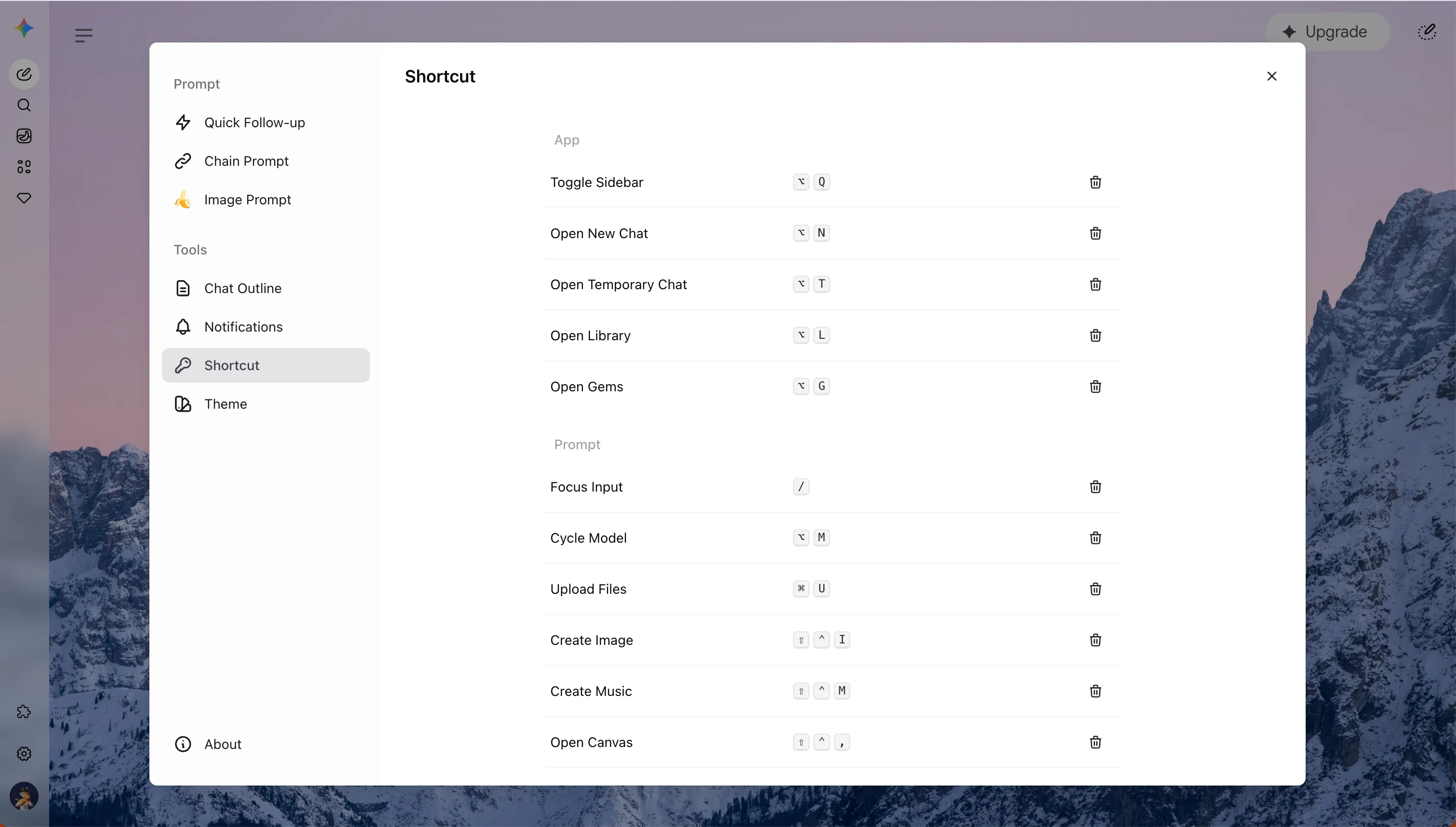
Section titled “Overview”Keyboard Shortcuts keeps frequent Gemini actions close to hand. Assign combinations for navigation, starting a new or temporary chat, focusing the prompt, opening tools, or uploading files without leaving the Gemini page.
Shortcuts work only on gemini.google.com. They are page shortcuts, not browser-wide extension commands.
Set Up a Shortcut
Section titled “Set Up a Shortcut”- Open Gemini Power Kit in the Gemini sidebar.
- Choose Shortcut under Tools.
- Hover a command and select the edit icon.
- Press a modifier combination, then move focus away to save it.
- Use the delete icon to leave a command unassigned.
The panel groups actions by Gemini Power Kit, App, and Prompt, so prompt-area actions such as model switching, file upload, and Gemini tools stay together.
Everyday Uses
Section titled “Everyday Uses”You do not need to assign every command. Start with the repeated actions that interrupt your flow:
- Open a new or temporary chat while comparing answers.
- Focus the prompt after reading a longer response.
- Assign a shortcut to Upload Files when you often bring documents or data into Gemini.
- Add your own combination for Create Image, Canvas, or Deep Research when those tools are part of your workflow.
Changes apply immediately. A shortcut you record in the settings panel is available without refreshing Gemini.
Shortcut Recommendations
Section titled “Shortcut Recommendations”Choose combinations that include Alt, Ctrl, Command, or Shift. Single-letter shortcuts are intentionally blocked so normal typing stays uninterrupted.
Avoid browser and system combinations that are already familiar:
- macOS: avoid
⌘ Q,⌘ W,⌘ L,⌘ R,⌘ Tab,⌘ Space, and⌘ H. - Windows: avoid
Ctrl + W,Ctrl + L,Ctrl + R,Ctrl + T,Ctrl + U, andCtrl + Shift + I.
⌘ U is the default Upload Files shortcut on macOS. Its Windows equivalent is Ctrl + U, which Chrome commonly reserves for viewing page source. Choose a different Windows binding for Upload Files if Chrome opens page source instead.
- Gemini may hide some tools based on your account, selected model, or current page state. A shortcut for an unavailable tool does nothing until Gemini makes that tool available.
- Recording pauses page shortcuts, so the combination you are assigning does not trigger another command at the same time.
- macOS displays
⌘,⌥, and⇧; Windows displays names such asCtrl,Alt, andShift.